


This website uses cookies so that we can provide you with the best user experience possible. Cookie information is stored in your browser and performs functions such as recognising you when you return to our website and helping our team to understand which sections of the website you find most interesting and useful.
Description
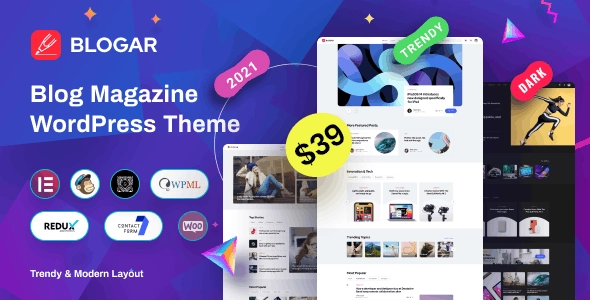
Introducing Blogar – Blog Magazine Theme, a versatile and user-friendly WordPress theme designed for bloggers and online magazines. With its sleek and modern design, Blogar offers a wide range of key functions and features, including:
1. Responsive Design: Blogar is fully responsive, ensuring your website looks great on any device, from desktop to mobile.
2. Customization Options: Easily personalize your website with the customizable header, menus, and layouts, as well as unlimited color options.
3. SEO Optimized: Blogar is built with SEO in mind, helping your content rank higher in search engine results.
4. Integrated Social Media: Connect with your audience through the integrated social media sharing and follow buttons.
5. Drag and Drop Page Builder: Build and customize your pages with ease using the drag and drop page builder.
6. Custom Widgets: Enhance your website’s functionality with custom widgets for popular posts, recent comments, and more.
Blogar – Blog Magazine Theme is the perfect solution for anyone looking to create a professional and stylish blog or magazine website. Get started today and elevate your online presence with Blogar.
Previous Available Versions
Version 1.2.8
download Blogar – Blog Magazine Theme free with our Membership plan
How to Install Blogar – Blog Magazine Theme
- Purchase and download Blogar – Blog Magazine Theme from WPThemesPlug. The ZIP file is available for instant download from your account page.
- Log into your WordPress admin dashboard. Navigate to Appearance → Themes → Add New → Upload Theme and select the downloaded ZIP file. Click Install Now.
- Activate Blogar – Blog Magazine Theme and follow any on-screen setup instructions or setup wizard to configure initial settings.
- Keep your installation updated. New versions appear in your WPThemesPlug account dashboard. Membership holders can install ThemaSafe for automatic updates.
Frequently Asked Questions
How many layout options are available in Blogar – Blog Magazine Theme?
Blogar offers 6 unique layout options, allowing users to choose the perfect design for their blog or magazine.
Is Blogar compatible with page builders like Elementor?
Yes, Blogar is fully compatible with Elementor and supports its popular page builder features.
Can I import demo content into my Blogar-powered website?
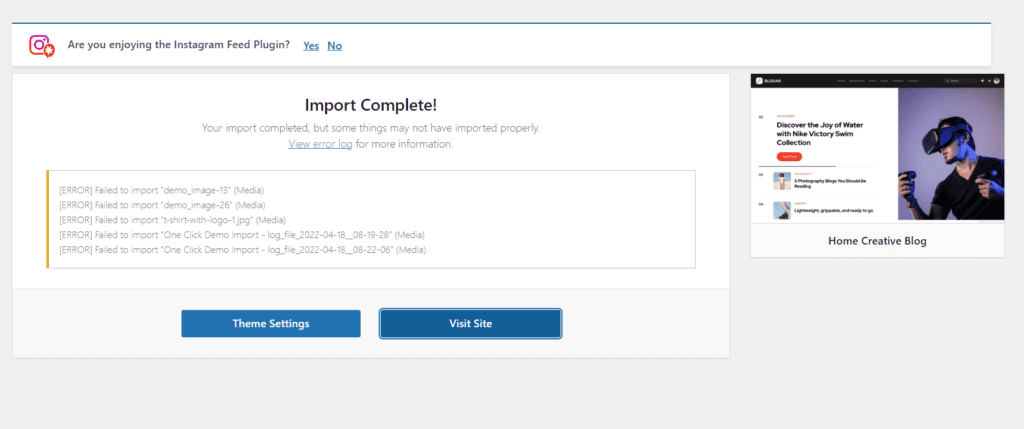
Yes, Blogar includes demo import functionality, allowing users to quickly set up a professional-looking website.
Does Blogar support WooCommerce to create an online store?
Yes, Blogar is fully compatible with WooCommerce and includes various features to create a seamless online store experience.


Recent Updated Products



You must log in and be a buyer of this download to submit a review.
Leave a reply Cancel reply