This website uses cookies so that we can provide you with the best user experience possible. Cookie information is stored in your browser and performs functions such as recognising you when you return to our website and helping our team to understand which sections of the website you find most interesting and useful.
Description
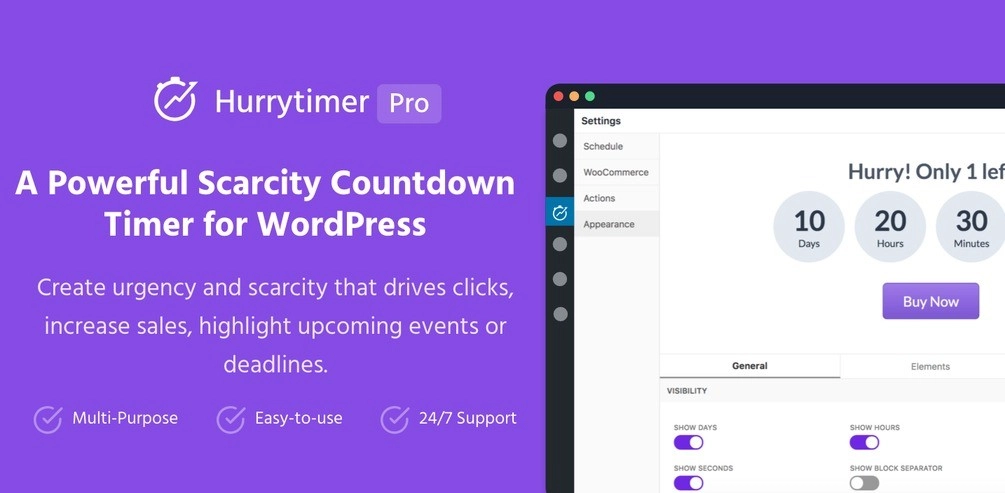
Description HurryTimer is a multi-purpose countdown timer that allows you to create urgency and scarcity that drives clicks, increases sales, and highlights upcoming events or deadlines.Previous Available Versions
Version- 2.11.0 Download HurryTimer Pro – An Scarcity and Urgency Countdown Timer for WordPress & WooCommerce 2.11.0 free with our Membership planHow to Install HurryTimer Pro – An Scarcity and Urgency Countdown Timer for WordPress & WooCommerce
- Purchase and download HurryTimer Pro – An Scarcity and Urgency Countdown Timer for WordPress & WooCommerce from WPThemesPlug. The ZIP file is available for instant download from your account page.
- Log into your WordPress admin dashboard. Navigate to Plugins → Add New → Upload Plugin and select the downloaded ZIP file. Click Install Now.
- Activate HurryTimer Pro – An Scarcity and Urgency Countdown Timer for WordPress & WooCommerce and follow any on-screen setup instructions or setup wizard to configure initial settings.
- Keep your installation updated. New versions appear in your WPThemesPlug account dashboard. Membership holders can install ThemaSafe for automatic updates.
Frequently Asked Questions
Can I use HurryTimer Pro with any WooCommerce theme or page builder?
HurryTimer Pro is compatible with most WooCommerce themes and page builders, including Elementor, Gutenberg, and more. However, some complex custom themes may require manual adjustments for optimal functionality.
How do I import the demo content provided with HurryTimer Pro?
To import the demo content, navigate to the plugin's settings panel, click on 'Import Demo', and follow the on-screen instructions to set up the included demo pages and sections.
Can I customize the design and layout of the countdown timers?
Yes, HurryTimer Pro allows extensive customization of the countdown timers, including color schemes, typography, and layout options. You can also use your page builder's built-in styling options to further customize the timers.
Does HurryTimer Pro work with WooCommerce's product variations?
Yes, HurryTimer Pro supports WooCommerce product variations and allows you to set different countdown timers for each variation, helping to create a sense of urgency for your customers.
More Information
You can now, Search, Download, Install & Update GPL Themes & Plugins Directly From your WordPress Dashboard with Our Plugin ThemaSafe Plugin.
If an item update isn’t done, request update by indicating the latest version. our agents will follow up and you’ll receive an update notification within the shortest time possible.
Check with support for availability of demo data and child themes.
GPL Notice: This product is distributed under the GNU General Public License (GPL). We are not affiliated with the original developer. Trademarks and brand names belong to their respective owners.
More Products
Download Details
$5.00
Product Information
-
Version:
2.11.0
-
Last Updated:
April 18, 2026
-
Released:
September 25, 2023
-
Price:
$5.00
Get Access to Multi-Downloads from as low as 9.99$
- Multiple Downloads per month
- lifetime updates
- Fast and Regular Updates


You must log in and be a buyer of this download to submit a review.
Leave a reply Cancel reply