Woocommerce Openpos – Google Cloud Printer 1.1
Follow
X

Follow

E-mail : *

Woocommerce OpenPos – Google Cloud Printer

in on December 31, 2023

$3.00

Description

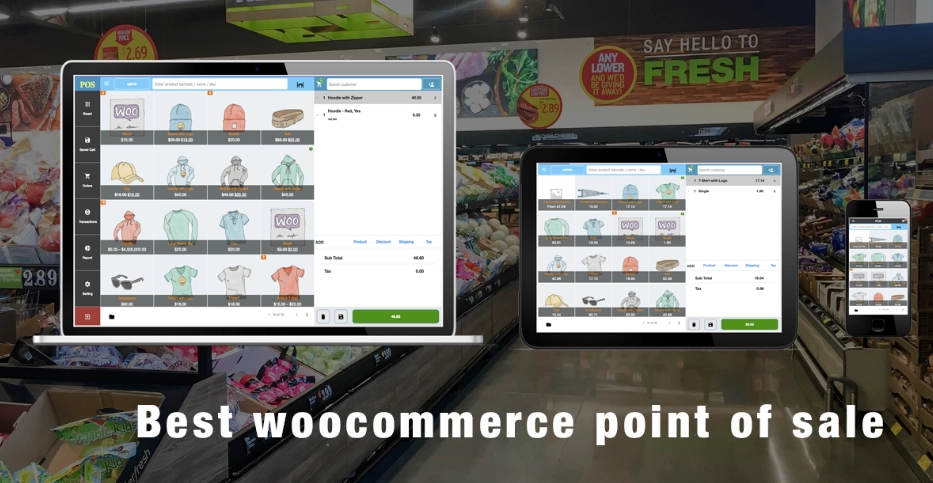
Woocommerce OpenPos – Google Cloud Printer 1.1 is a powerful Wordpress plugin that integrates seamlessly with Woocommerce and OpenPos, allowing you to print receipts and orders directly from your Google Cloud Printer. With this plugin, you can easily connect your Woocommerce store to your Google Cloud Printer and streamline your printing process. Key functions include automatic printing of receipts and orders, customizable print settings, and seamless integration with Woocommerce and OpenPos. Simplify your printing process and enhance your customer service with Woocommerce OpenPos – Google Cloud Printer 1.1.

Previous Available Versions

Version 1.1 Download Woocommerce OpenPos – Google Cloud Printer 1.1 on our Thema Safe plugin to enjoy free auto updates, one click installation. Openpos

How to Install Woocommerce OpenPos – Google Cloud Printer

  1. Purchase and download Woocommerce OpenPos – Google Cloud Printer from WPThemesPlug. The ZIP file is available for instant download from your account page.
  2. Log into your WordPress admin dashboard. Navigate to Plugins → Add New → Upload Plugin and select the downloaded ZIP file. Click Install Now.
  3. Activate Woocommerce OpenPos – Google Cloud Printer and follow any on-screen setup instructions or setup wizard to configure initial settings.
  4. Keep your installation updated. New versions appear in your WPThemesPlug account dashboard. Membership holders can install ThemaSafe for automatic updates.

Frequently Asked Questions

Does Woocommerce OpenPos – Google Cloud Printer support page builders like Elementor and Beaver Builder?

Yes, Woocommerce OpenPos – Google Cloud Printer is compatible with popular page builders like Elementor, Beaver Builder, and Divi Builder, allowing for seamless layout customization.

Can I use Woocommerce OpenPos – Google Cloud Printer with WooCommerce variations and dynamic pricing?

Yes, Woocommerce OpenPos – Google Cloud Printer supports WooCommerce variations and dynamic pricing, enabling you to manage complex product pricing and inventory with ease.

Does Woocommerce OpenPos – Google Cloud Printer offer any demo import functionality?

Yes, Woocommerce OpenPos – Google Cloud Printer includes a demo import feature that allows you to quickly set up a sample store with pre-configured settings and products.

How does Woocommerce OpenPos – Google Cloud Printer integrate with Google Cloud Print services?

Woocommerce OpenPos – Google Cloud Printer uses the Google Cloud Print API to connect with your Google Cloud Printer account, enabling you to print orders and invoices directly from your WooCommerce store.

More Information

You can now, Search, Download, Install & Update GPL Themes & Plugins Directly From your WordPress Dashboard with Our Plugin ThemaSafe Plugin. 

If an item update isn’t done, request update by indicating the latest version. our agents will follow up and you’ll receive an update notification within the shortest time possible.

Check with support for availability of demo data and child themes.

GPL Notice: This product is distributed under the GNU General Public License (GPL). We are not affiliated with the original developer. Trademarks and brand names belong to their respective owners.

More Products

Share Your Valuable Opinions

You must log in and be a buyer of this download to submit a review.

Product Information

  • Version
    :

    Version 1.1

  • Last Updated
    :

    April 21, 2026

  • Released
    :

    December 31, 2023

  • Price
    :

    $3.00