woocommerce tax toggle 1 3 6 651c905bea78d
Follow
X

Follow

E-mail : *

WooCommerce Tax Toggle

in on October 4, 2023

$5.00

Description

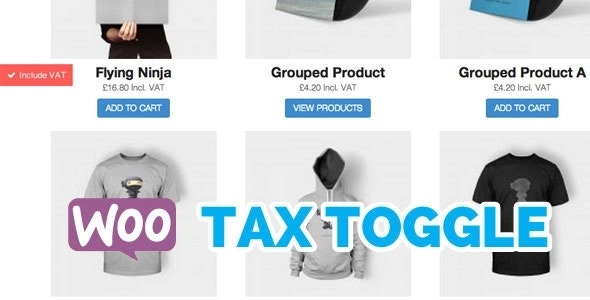
Tax Toggle for WooCommerce extension plugin allows you to easily toggle between the taxed price and the untaxed price (i.e. show prices with and without tax in WooCommerce). Tax Toggle for WooCommerce allows the customer to select whether they want to view your WooCommerce products price including tax or excluding tax. The option chosen is saved to the users device so when the customer moves from page to page the prices are shown as per their selection. The toggle is automatically added as a floating button on the left hand side of the site, but the toggle button can also be added as a Widget in a sidebar or it can be added anywhere (including in Gutenberg blocks or your theme) with shortcode [wootax]. For a better user experience, the WooCommerce Cart and Checkout behaviour are different from other pages. On the Cart page, the tax toggle shows/hides the tax and total order in the order summary. It does not toggle the individual items as this could be confusing for the customer. On the Checkout the toggle is hidden because the tax is displayed as per the checkout rules. e.g. by what location is selected in the address. The Tax Toggle uses the base country tax settings as per the WooCommerce tax settings section.
download WooCommerce Tax Toggle 1.3.6 free with our Membership plan

Previous Available Versions

Version- 1.3.6 Download WooCommerce Tax Toggle 1.3.6 free with our Membership plan

How to Install WooCommerce Tax Toggle

  1. Purchase and download WooCommerce Tax Toggle from WPThemesPlug. The ZIP file is available for instant download from your account page.
  2. Log into your WordPress admin dashboard. Navigate to Plugins → Add New → Upload Plugin and select the downloaded ZIP file. Click Install Now.
  3. Activate WooCommerce Tax Toggle and follow any on-screen setup instructions or setup wizard to configure initial settings.
  4. Keep your installation updated. New versions appear in your WPThemesPlug account dashboard. Membership holders can install ThemaSafe for automatic updates.

Frequently Asked Questions

Is WooCommerce Tax Toggle GPL licensed?

Yes. All products on WPThemesPlug are distributed under the GNU General Public License (GPL), the same open-source license used by WordPress. You can legally use, modify, and install WooCommerce Tax Toggle on as many websites as you need.

Can I use WooCommerce Tax Toggle on multiple websites?

Yes. The GPL license allows installation on unlimited websites, including client sites, with no domain restrictions or additional fees.

Are the files safe to use?

Every file on WPThemesPlug is security-scanned for malware and compatibility-tested with the latest WordPress version before being published.

More Information

You can now, Search, Download, Install & Update GPL Themes & Plugins Directly From your WordPress Dashboard with Our Plugin ThemaSafe Plugin. 

If an item update isn’t done, request update by indicating the latest version. our agents will follow up and you’ll receive an update notification within the shortest time possible.

Check with support for availability of demo data and child themes.

GPL Notice: This product is distributed under the GNU General Public License (GPL). We are not affiliated with the original developer. Trademarks and brand names belong to their respective owners.

More Products

Share Your Valuable Opinions

You must log in and be a buyer of this download to submit a review.

Product Information

  • Version
    :

    1.3.6

  • Last Updated
    :

    March 10, 2026

  • Released
    :

    October 4, 2023

  • Price
    :

    $5.00