woofood food ordering delivery pickup plugin for woocommerce automatic order printing 2 6 5 650e31369f149
Follow
X

Follow

E-mail : *

WooFood – Food Ordering (Delivery/Pickup) Plugin for WooCommerce & Automatic Order Printing

in on September 23, 2023

$5.00

Description

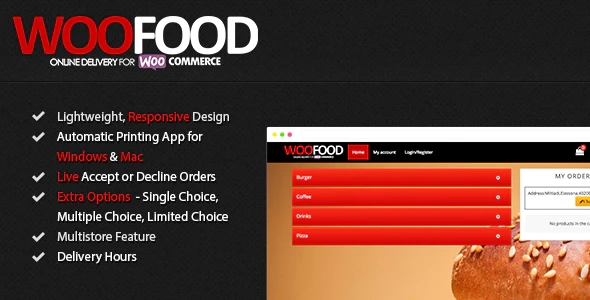
Description MultiStore Feature – For Merchants with multiple stores Automatic Send the Order to the Nearest store to the customer(*manually selection is also available) Maximum Distance for Delivery Distance Based Calculation / Polygon Based Calculation / Postal Code Based Pickup Option Multiple Customer Addresses Automatic Address Completion using Google Maps API Accept /Decline Orders WooFood is an online food delivery plugin for WordPress working with WooCommerce , a lightweight and simple Theme and Windows Software to create your online delivery system for your fast food, pizzeria, cafe or restaurant. You can add Extra Options Categories on each Product, Variation or to the whole product category (this will save you a lot of time , if you are using the same extra options for mulitple products in the same category). Set Delivery Hours for each WeekDay ( customers will be unable to order other hours) With Automatic Order Printing Software for Windows & Mac for WooFood , you will able to automatic print your WooCommerce orders directly to your thermal or other printer

Previous Available Versions

Version- 2.6.5 Download WooFood – Food Ordering (Delivery/Pickup) Plugin for WooCommerce & Automatic Order Printing 2.6.5 free with our Membership plan

How to Install WooFood – Food Ordering (Delivery/Pickup) Plugin for WooCommerce & Automatic Order Printing

  1. Purchase and download WooFood – Food Ordering (Delivery/Pickup) Plugin for WooCommerce & Automatic Order Printing from WPThemesPlug. The ZIP file is available for instant download from your account page.
  2. Log into your WordPress admin dashboard. Navigate to Plugins → Add New → Upload Plugin and select the downloaded ZIP file. Click Install Now.
  3. Activate WooFood – Food Ordering (Delivery/Pickup) Plugin for WooCommerce & Automatic Order Printing and follow any on-screen setup instructions or setup wizard to configure initial settings.
  4. Keep your installation updated. New versions appear in your WPThemesPlug account dashboard. Membership holders can install ThemaSafe for automatic updates.

Frequently Asked Questions

Does WooFood support Elementor kit pages/sections?

Yes, WooFood is compatible with Elementor kit pages and sections, allowing for seamless integration with Elementor's layout options.

Can I use WooFood with other WooCommerce extensions?

Yes, WooFood is designed to work in conjunction with other WooCommerce extensions, including popular plugins like YITH and Dokan.

How does WooFood handle automatic order printing?

WooFood automatically prints orders as they are received, allowing you to easily manage and fulfill orders in your restaurant or food establishment.

Can I customize the layout of WooFood's order page?

Yes, WooFood includes a range of layout options, allowing you to customize the order page to suit your restaurant's branding and style.

More Information

You can now, Search, Download, Install & Update GPL Themes & Plugins Directly From your WordPress Dashboard with Our Plugin ThemaSafe Plugin. 

If an item update isn’t done, request update by indicating the latest version. our agents will follow up and you’ll receive an update notification within the shortest time possible.

Check with support for availability of demo data and child themes.

GPL Notice: This product is distributed under the GNU General Public License (GPL). We are not affiliated with the original developer. Trademarks and brand names belong to their respective owners.

More Products

Share Your Valuable Opinions

You must log in and be a buyer of this download to submit a review.

Product Information

  • Version
    :

    2.6.5

  • Last Updated
    :

    April 18, 2026

  • Released
    :

    September 23, 2023

  • Price
    :

    $5.00