WP Sheet Editor Editable Frontend Tables
Follow
X

Follow

E-mail : *

WP Sheet Editor Editable Frontend Tables

in , on September 25, 2023

$5.00

Description

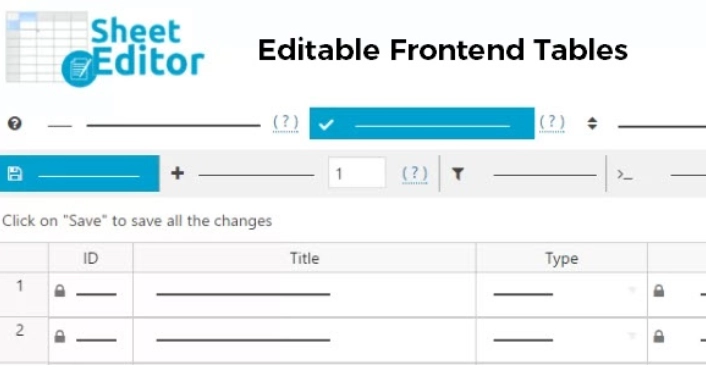
WP Sheet Editor Editable Frontend Tables Present an interactive table on the Frontend of your website. Allow your users, employees, or team members to make edits to various elements such as WooCommerce products, events, posts, user profiles, comments, and the media library directly from the Frontend interface. You can generate an unlimited number of editors, ranging from simple editors with just a few columns to advanced editors encompassing all available columns.

Previous Available Versions

Version- 2.4.30

Version- 2.4.29

Download WP Sheet Editor Editable Frontend Tables free with our Membership plan

How to Install WP Sheet Editor Editable Frontend Tables

  1. Purchase and download WP Sheet Editor Editable Frontend Tables from WPThemesPlug. The ZIP file is available for instant download from your account page.
  2. Log into your WordPress admin dashboard. Navigate to Plugins → Add New → Upload Plugin and select the downloaded ZIP file. Click Install Now.
  3. Activate WP Sheet Editor Editable Frontend Tables and follow any on-screen setup instructions or setup wizard to configure initial settings.
  4. Keep your installation updated. New versions appear in your WPThemesPlug account dashboard. Membership holders can install ThemaSafe for automatic updates.

Frequently Asked Questions

Can I customize the layout of the editable frontend tables?

Yes, you can customize the layout of the editable frontend tables using the plugin's settings. You can adjust the table settings, column settings, and row settings to suit your needs.

Is the plugin compatible with page builders like Elementor?

Yes, the plugin is compatible with popular page builders like Elementor. You can easily integrate the editable frontend tables with your Elementor layout.

Can I use the plugin to edit WooCommerce products on the frontend?

Yes, the plugin allows you to edit WooCommerce products directly on the frontend. You can add, edit, or delete products, as well as manage product attributes and variations.

Are there any demo import options to help me get started with the plugin?

Yes, the plugin comes with a demo import feature that allows you to quickly import a sample table with data. This can be helpful if you're new to the plugin or want to test its features.

More Information

You can now, Search, Download, Install & Update GPL Themes & Plugins Directly From your WordPress Dashboard with Our Plugin ThemaSafe Plugin. 

If an item update isn’t done, request update by indicating the latest version. our agents will follow up and you’ll receive an update notification within the shortest time possible.

Check with support for availability of demo data and child themes.

GPL Notice: This product is distributed under the GNU General Public License (GPL). We are not affiliated with the original developer. Trademarks and brand names belong to their respective owners.

More Products

Share Your Valuable Opinions

You must log in and be a buyer of this download to submit a review.

Product Information

  • Version
    :

    2.4.30

  • Last Updated
    :

    April 18, 2026

  • File Size
    :

    5.29MB

  • Released
    :

    September 25, 2023

  • Price
    :

    $5.00

  • LIcense
    :
    GPL